

Tap the neck, meet the bottle
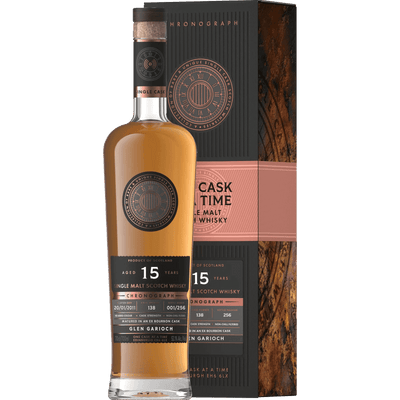
Inside the neck label of every Chronograph, Pendulum or Grandfather bottle sits an NFC tag. Tap it with the One Cask at a Time app and the bottle opens the record of the single cask that filled it: the distillery, the outturn, the tasting notes and any filmed tasting.

How it works
The app is where the record lives: the cask behind your bottle, the films and your own collection.
- Open the app Free on the App Store and Google Play. It is what reads the tag inside your bottle.
- Tap the neck label Hold the top of your phone to the neck of the bottle. The tag answers in a second or two, with no cable and no code to type in.
- Meet the cask The app opens the record of the cask that filled it: the distillery, the cask number, the outturn, the tasting notes and any filmed tasting.
- Keep it Add the bottle to your collection and keep your own tasting notes beside the official record.
Tapped it without the app?
Then you will have landed here. The tag does not tell the website which bottle it is in, so this page cannot show your bottle’s record. What you can check without the app is the cask: every cask we have bottled keeps its own page on this site, with its number, its outturn and its tasting notes, and those pages stay up after the last bottle sells.
Questions about a bottle? Call us on 0131 287 5805.



Questions
Any iPhone running iOS 13 or later, and almost every Android phone made in the last decade, has the NFC the app needs. Hold the top edge of the phone to the bottle’s neck label.
The single cask behind your bottle: the distillery, the cask number, the outturn it belongs to, the tasting notes and any filmed tasting. Grandfather Collection tastings are narrated by Charles MacLean MBE.
Yes. Bottles you add to your collection in the app carry your own notes alongside the official record, and they stay with the bottle for as long as you keep it.
The record is waiting
Every Chronograph, Pendulum and Grandfather bottle already carries its tag, and the app is free.